
How Long Does Finance Automation Take to Implement? Realistic Timelines for Australian Businesses
Ordron33 min read
CFOs approve the budget. The ink dries. And then the first question is always the same: "How long until we actually see results?" Most vendors dodge this. They hand you a capability roadmap, talk about transformation journeys, and leave you to figure out the timeline yourself. We are not going to do that.
Implementation timelines for finance automation vary, and they vary significantly, but not randomly. The variation follows a pattern. Quick-win automations go live in two to four weeks. Full accounts payable or accounts receivable workflow overhauls take six to twelve weeks. Enterprise-level multi-system integrations run three to six months. What determines which category you land in is rarely the technology. It is almost always internal: your data quality, your stakeholder sign-off process, and how accessible your legacy systems are. The technology is the easy part.
This guide gives you the numbers attached to each implementation type, a phase-by-phase breakdown of where time actually goes, the Australian-specific factors that can push your go-live date out if you ignore them, and the red flags that blow out timelines before a single workflow is built. If you want to know how long your specific situation is likely to take before committing to a project, the Ordron automation scorecard is a practical starting point.
Table of Contents
- Key Takeaways
- Summary Table: Automation Type, Complexity, Timeline and Dependencies
- What Determines Implementation Speed?
- Phase-by-Phase Breakdown: From Discovery to Optimisation
- Quick Wins vs Full Transformation: When to Stage Rollouts
- Australian-Specific Factors That Affect Your Timeline
- Real Implementation Examples with Anonymised Timelines
- Red Flags That Blow Out Timelines
- How to Prepare Internally to Accelerate Delivery
- FAQs
- References
Key Takeaways
- Quick-win automations such as AP inbox routing and bank reconciliation can go live in two to four weeks with minimal internal prep.
- Mid-complexity projects covering full AP or AR workflows typically land in the six to twelve week range.
- Enterprise multi-system integrations, particularly where legacy systems are involved, run three to six months.
- The biggest delays are almost always internal: data readiness, IT access approvals, and stakeholder sign-off cycles, not the automation technology itself.
- Australian timing factors, including EOFY in June, quarterly BAS lodgements, and the Xero/MYOB ecosystem's API constraints, create real calendar risks that most project plans do not account for.
- You do not need to replace your existing systems to deliver measurable results. The most dramatic hours returned in work we have shipped came from layering automation across a twenty-year-old ERP, not from replacing it.
Summary Table: Automation Type, Complexity, Timeline and Key Dependencies
| Automation Type | Complexity | Typical Timeline | Key Dependencies |
|---|---|---|---|
| AP inbox routing and filing | Low | 2-4 weeks | Email access, folder structure, naming conventions |
| Bank reconciliation automation | Low | 2-4 weeks | Clean bank feed, chart of accounts consistency |
| Invoice OCR and data extraction | Low-Medium | 3-6 weeks | Document format consistency, supplier register |
| Full AP workflow (capture to approval) | Medium | 6-12 weeks | Approval hierarchy, PO data, ERP/accounting API access |
| Full AR workflow (invoicing to reconciliation) | Medium | 6-10 weeks | Customer master data, payment gateway integration |
| Multi-entity consolidation and reporting | Medium-High | 8-14 weeks | Chart of accounts alignment, intercompany rules |
| Legacy ERP integration via RPA | High | 10-18 weeks | IT access approvals, ERP stability, data validation rules |
| Enterprise multi-system finance transformation | High | 3-6 months | Executive sponsorship, change management, phased cutover plan |
| Month-end close automation | Medium-High | 8-16 weeks | Reconciliation templates, journal standardisation, sign-off workflow |
What Determines Implementation Speed?
Before we talk phases and timelines, it is worth being direct about what actually controls delivery speed. There are four variables. Everything else is noise.
1. Data Quality and Readiness
This is the most underestimated factor in every project, without exception. Automation is pattern recognition at scale. If the underlying data has no consistent pattern, the automation has nothing to work with.
In accounts payable specifically, the most common data problems are inconsistent supplier naming (the same vendor appearing under three different names in the system), missing ABNs, invoice formats that vary by supplier with no standardisation, and cost centre coding that has drifted over time as the business has grown. None of these are catastrophic on their own, but together they extend a build that should take four weeks into one that takes ten.
The fix is not complicated. A data audit during the discovery phase, covering supplier master data, chart of accounts consistency, and document format mapping, typically adds one to two weeks to the front end of a project but saves three to five weeks on the back end. If a vendor is not asking for this audit before scoping your timeline, treat that as a warning sign.
2. Platform and Ecosystem
The tools you already run determine the integration pathway. Organisations on Xero or MYOB have well-documented APIs with active developer ecosystems in Australia. Xero's API supports direct integration for invoices, contacts, bank feeds, accounts, and reporting, which means well-scoped automations can move quickly. MYOB's AccountRight and Business platforms have equivalent API coverage for most standard finance workflows.
Legacy ERPs are a different story. Older systems, particularly those fifteen to twenty years old and common in manufacturing, construction, and logistics, often have no API at all. Integration then requires either a database layer (SQL, ODBC) or RPA to drive the interface directly. Both approaches work. But both require additional scoping time and IT involvement that a cloud-native integration does not.
Enterprise platforms such as SAP, Oracle, or Microsoft Dynamics introduce their own complexity, not because they lack capability, but because access controls, sandbox environments, and change management processes inside large organisations add latency to every decision. A change that takes a day to implement can take two weeks to approve.
3. Scope Definition
Vague scope is the single most reliable predictor of a blown-out timeline. "Automate our accounts payable" is not a scope. A scope tells you exactly which document types are in, which suppliers are included in phase one, what the approval workflow looks like, how exceptions are routed, which system is the source of truth for each data field, and what success looks like in measurable terms.
Every week of unclear scope at the start of a project costs two to three weeks of rework after build. The organisations that hit the short end of timeline ranges are the ones that arrive at project kick-off with a decision register, named approvers, and a clear list of what is and is not in scope. That preparation does not happen on its own. It requires someone internally owning the project before the first line of automation is written.
4. Internal Stakeholder Velocity
This is where most timelines blow out and nobody wants to admit it. The build is done. The testing environment is ready. And then the project sits for three weeks waiting for the IT security team to approve a service account, or for the finance manager to confirm the approval hierarchy, or for someone to decide whether invoices under $500 need a single or dual approver.
These delays are not technology problems. They are governance problems. And they are almost entirely preventable with one simple step: pre-answer every decision that the build team will need before the project starts. We cover exactly what those decisions are in the internal preparation section below.
Phase-by-Phase Breakdown: From Discovery to Optimisation
Every finance automation project, regardless of complexity, moves through five phases. The time each phase takes is predictable once you know the complexity level. Here is what actually happens in each one.
Phase 1: Discovery and Scoping (1-3 Weeks)
Discovery is not a formality. For a straightforward bank reconciliation automation on Xero, discovery might be a single two-hour session plus a data review. For an enterprise AP workflow touching a legacy ERP, three cost centres, and a three-tier approval hierarchy, discovery is a structured process covering current-state process mapping, data quality audit, system access review, and scope finalisation.
What good discovery produces: a process map of the current workflow with time-per-step benchmarks, an agreed list of in-scope document types and volumes, a data quality report with remediation tasks assigned, a system access checklist with named owners and deadlines, and a written scope document signed off by the project sponsor.
What poor discovery produces: a rough estimate, a start date, and a list of assumptions that turn out to be wrong.
The difference in downstream timeline impact is enormous. Organisations that compress or skip discovery to save time routinely add four to eight weeks to the overall project through rework and scope creep.
Phase 2: Build and Configuration (2-8 Weeks)
This is where the automation is actually constructed. For RPA-based workflows, this means building and testing bots in a development environment. For API integrations, it means writing and testing the connection logic, transformation rules, and error handling. For document intelligence workflows, it means training and validating the extraction model against real document samples.
For a mid-complexity AP automation on Xero, a focused build phase runs two to four weeks. For a multi-system enterprise integration with legacy ERP involvement, the build phase runs four to eight weeks. The variable is not how hard the work is. It is how many decisions need to be made during build that were not resolved in discovery.
One pattern that extends build time consistently: approval matrix changes mid-build. Somebody in finance decides during week three of the build that the original approval workflow is wrong and the rules need to change. This is not unusual. It is, however, avoidable with thorough discovery. If the approval workflow is confirmed in writing before build starts, mid-build changes become exceptions rather than the norm.
Phase 3: User Acceptance Testing (1-3 Weeks)
UAT is where the automation is tested against real documents, real data, and real edge cases by the people who will actually use it. This phase is frequently underresourced. Organisations assign UAT to their busiest people and then discover that those people have no time to test properly, so UAT drags out over three weeks for what should be a one-week process.
Effective UAT requires: a documented test script with expected outcomes, a representative sample of real documents including edge cases and exceptions, dedicated time from a named tester with the authority to approve or reject results, and a clear defect log with prioritisation criteria. Critical defects block go-live. Minor defects are logged for post-go-live iteration.
The one phase where being conservative on timing actually pays off is UAT. Rushing UAT to hit a go-live date and then discovering a critical defect in production is far more expensive than a two-week UAT extension.
Phase 4: Go-Live and Parallel Running (1-4 Weeks)
Go-live is not a single event for most finance automation projects. It is a period during which the automation runs alongside the existing manual process until confidence is established. Parallel running typically lasts one to four weeks depending on transaction volume and complexity.
For a bank reconciliation automation on Xero, parallel running might be one week: you run the automation, cross-check against the manual reconciliation, confirm the outputs match, and switch off the manual process. For an enterprise AP workflow processing thousands of invoices monthly, parallel running typically runs two to three weeks to confirm accuracy across a statistically meaningful sample before manual processing is decommissioned.
The parallel run period is also when the team builds confidence in the automation. Staff who were sceptical during UAT become advocates after seeing the automation handle a full week of real invoices without errors. That psychological shift matters for adoption and for the sustainability of the process change after go-live.
Phase 5: Optimisation and Iteration (Ongoing, Active for 4-8 Weeks Post Go-Live)
Go-live is not the finish line. It is the point at which real data starts flowing through the automation and real edge cases emerge. The optimisation phase covers the first four to eight weeks after go-live and is where the automation is tuned against actual production volume.
For document extraction models, this means reviewing exception queues, identifying document patterns that are not yet covered, and retraining or extending the model. For workflow automations, it means monitoring exception rates, adjusting routing rules, and capturing the performance data that confirms the before-and-after result.
The no aspirational projections principle applies directly here. The performance data from the optimisation phase is what gives you the actual before-and-after number, not a modelled projection. That number is what gets presented to the CFO, not a forecast.
Quick Wins vs Full Transformation: When to Stage Rollouts
One of the most practical decisions in any finance automation project is whether to go for a staged rollout or a full transformation in a single project. The answer depends on three factors: your organisation's change management capacity, your data readiness, and your appetite for disruption during the project period.
The Case for Staging
Staging delivers two things that a single big-bang transformation cannot: early wins that build internal confidence, and real production data that improves the design of subsequent phases.
A finance team that has never run automation before will be sceptical. That scepticism is rational. Abstract promises about efficiency gains do not move people. A bank reconciliation that used to take three hours now runs in eight minutes does move people. Stage one delivers that proof. Stage two and three are approved by a team that has already seen the results, not by a team being asked to take a leap of faith.
The practical staging approach for most Australian mid-market businesses: start with the highest-volume, lowest-complexity workflow that causes genuine daily pain. Bank reconciliation and AP inbox management are the most common first-stage candidates. Run them for four to six weeks in production, measure the hours returned, then scope the next phase. The Ordron AP automation guide covers the sequencing logic in more detail if you want to map this against your current AP process.
When a Staged Approach Slows You Down
Staging is not always the right call. For organisations where a single broken workflow is causing significant downstream problems, such as a month-end close that runs two weeks long because manual data entry is the bottleneck, the full workflow needs to be addressed together. Automating half a broken process sometimes makes things worse by creating a dependency on the automated component that then blocks the still-manual component.
If your month-end close process is the primary pain point, the staged approach to that specific workflow means tackling the data extraction, coding, reconciliation, and reporting steps as a connected sequence rather than in isolation.
Estimating Your Staging Timeline
A three-stage rollout for a mid-market Australian business typically looks like this:
Stage one (weeks 1-6): Bank reconciliation automation and AP inbox routing. Go-live target at week four, two weeks of parallel running.
Stage two (weeks 7-18): Full AP workflow including OCR capture, PO matching, approval routing, and exception handling. Discovery starts during the parallel run period of stage one so no time is lost.
Stage three (weeks 16-28): AR automation, reporting and dashboards, and any legacy system integrations. By this point the team is experienced with automation processes and UAT runs faster.
Total elapsed time from project start to full capability: approximately six months. That sounds long until you compare it against the alternative: attempting all three stages simultaneously, discovering the data quality problems in stage three during the build for stage one, and ending up with a project that runs nine months and delivers nothing until the final week.
Australian-Specific Factors That Affect Your Timeline
Implementation guides written for a US or UK audience miss several factors that are specific to operating in Australia. These are not minor. Ignore them and your project plan will have a gap.
EOFY and the June Crunch
Australia's financial year ends 30 June. The six weeks either side of EOFY, roughly mid-May through late July, are the worst possible time to run UAT or go-live on any finance workflow automation. Finance teams are under maximum load. Availability for testing, decision-making, and sign-off drops dramatically. Parallel running in an EOFY environment introduces risk because the team cannot respond quickly if something goes wrong.
The practical rule: do not schedule go-live between 15 May and 15 July. If your project is tracking toward a May or June go-live date, either accelerate to land in April or plan to go live in August. This applies to mid-complexity and enterprise projects. Quick-win automations with a one-week parallel run period carry less risk and can proceed during EOFY with appropriate caveats.
BAS Lodgement Cycles
Most Australian businesses lodge quarterly BAS. The lodgement deadlines create predictable high-load periods for finance teams in late October, late February, late April, and late July. Running UAT in the week before a BAS deadline is a reliable way to get poor testing quality and a frustrated team. Schedule testing and decision checkpoints around the BAS calendar, not across it.
The Xero and MYOB Ecosystem
Approximately 3.5 million small businesses in Australia use cloud accounting software, with Xero and MYOB holding the dominant positions in the Australian market. This is genuinely good news for implementation timelines. Both platforms have mature, well-documented APIs that significantly reduce integration complexity compared to on-premise accounting systems.
Xero's API supports invoice creation and management, contact management, bank feed data, account transactions, and reporting endpoints. For AP and AR automations on Xero, a well-scoped integration can move from build to go-live in three to five weeks for standard workflows. Ordron's Xero automation work covers the specific workflow patterns that are production-tested in the Australian Xero ecosystem.
MYOB's API landscape has improved significantly. AccountRight and Business both support REST APIs for the core workflows, though some advanced features require MYOB's specific partner programme access. Budget for one additional week of platform-specific scoping if you are on MYOB and have not previously integrated programmatically.
The Legacy ERP Reality in Australian Manufacturing and Logistics
Australian manufacturing, logistics, transport, and construction businesses frequently run ERPs that are fifteen to twenty-five years old. These systems have no APIs. They were not designed for integration. And yet they hold the business-critical data that every automation project needs to touch.
The good news: this is a solved problem. The approach is RPA driving the ERP interface directly, combined with SQL or ODBC database access where the system permits it, feeding clean data into modern systems. We have shipped this exact automation for multiple logistics clients. It works. It does not require replacing the ERP. What it does require is two additional weeks in scoping for ERP interface mapping, IT access approval for the service account, and thorough validation testing before go-live.
If your project involves a legacy ERP with no API, add three to four weeks to the timeline estimates in the summary table above. That is the realistic cost of the integration layer, not a reason to replace the system.
ATO Digital Reporting Requirements
Single Touch Payroll Phase 2 and the expanding scope of ATO digital reporting create a compliance dimension to finance automation projects that does not exist in other markets. If your automation touches payroll data, payables to contractors, or GST allocation, the output format must comply with current ATO requirements. This is not a complex constraint for a well-designed automation, but it needs to be confirmed during discovery rather than discovered during UAT. Add a compliance check to your discovery checklist as a named deliverable.
Real Implementation Examples with Anonymised Timelines
These are not hypothetical case studies. These are projects we have shipped, with the actual timelines and the measured results after go-live.
Example 1: Logistics Operator, Legacy ERP to Xero Integration
A family-owned logistics operator had been running a twenty-year-old ERP with no APIs alongside Xero. Finance and reporting teams were manually re-entering data between the two systems every day. The organisation had looked at ERP replacement and rejected it, correctly, because the cost and disruption were disproportionate to the problem.
We built an RPA bot that drove the legacy ERP interface directly, validated data with SQL, and synced clean records into Xero and live reporting dashboards. No ERP replacement. No new software platform. The full project ran twelve weeks from initial scoping to go-live, with three weeks of parallel running before the manual re-entry process was decommissioned.
Measured after go-live: 160+ hours per month returned to the finance team. That number is from a time-tracking comparison between the four weeks before go-live and the four weeks after. No aspirational projections. The detail on this engagement is in the logistics AP and OCR case study.
What extended the timeline in this project: IT approval for the RPA service account took eleven business days. The ERP vendor needed to confirm that RPA driving their interface did not breach their licence terms. Both of these were foreseeable and could have been pre-resolved during discovery. They were partially pre-resolved, which is why they added eleven days rather than four weeks.
Example 2: National Logistics Provider, SharePoint-Based AP Workflow
A national logistics provider with multiple depots had an AP process built entirely in SharePoint. Each batch of invoices was taking approximately four hours to move from document capture through to filed and coded. Four hours per batch, multiple batches per week, across multiple depot locations.
We plugged OCR and workflow logic directly into the existing SharePoint-based AP process. No new software platform was introduced. The project ran eight weeks: two weeks of discovery and scoping, four weeks of build and configuration, and two weeks of UAT and parallel running.
Measured after go-live: AP cycle time dropped from four hours to fifteen minutes per batch. The manufacturing invoice hub case study covers a comparable workflow transformation if you want to see the process design in more detail.
Example 3: Mid-Sized Freight Operator, Xero AR Automation
A mid-sized freight operator running AR on Xero had hundreds of recurring clients and was reconciling accounts receivable manually with no real-time visibility over aged receivables. The finance team was spending the majority of their AR time on reconciliation rather than on collections or relationship management.
We automated GL coding, bank reconciliation, and aged-receivables reporting inside Xero and built live visibility dashboards alongside the reconciliation workflow. Total project timeline: seven weeks. Discovery and scoping ran one week because the scope was clearly defined before the project started. Build ran four weeks. UAT and parallel running ran two weeks.
Measured after go-live: 80% reduction in time spent on AR reconciliation, with real-time aged-receivables visibility delivered as a standing output. The full detail is in the freight Xero AR case study. This is also the clearest example in our book of what happens when internal preparation is done properly before project kick-off: a seven-week timeline for a meaningful AR transformation.
Example 4: Large Enterprise, Intelligent AP at Scale
A large enterprise finance team was processing high monthly invoice volumes across multiple cost centres. Human coders were reviewing every invoice line. Cycle times were running well over the benchmark for their industry. The finance leadership team had evaluated ERP replacement and a new AP platform. Both options were expensive, disruptive, and estimated at twelve to eighteen months to full capability.
We combined RPA with intelligent document understanding to read, PO-match, and code supplier invoices automatically, routing only exceptions to human reviewers. No new software was added to the stack. The project ran fourteen weeks: three weeks of discovery, six weeks of build and model training, three weeks of UAT, and two weeks of parallel running.
Measured after go-live: greater than 95% coding accuracy and invoice processing time cut by 65%. More than 80% of complex multi-split invoices were fully automated. The exception queue, the invoices that route to human reviewers, represents less than 5% of volume. That is what routing only exceptions to humans looks like at enterprise scale, with the numbers attached.
Red Flags That Blow Out Timelines
These are the patterns that reliably extend a finance automation project beyond its original timeline. Most of them are detectable before the project starts.
No Named Internal Owner
Every finance automation project needs one person internally who has the authority to make decisions, answer questions within twenty-four hours, and escalate blockers. Not a committee. One person. Projects without a named internal owner average thirty to forty percent longer delivery times because every decision requires a meeting to determine who makes the decision.
IT Access Approvals Not Pre-Arranged
Service account creation, firewall rules, API key provisioning, and data access approvals all require IT involvement. In enterprise organisations, IT change requests can sit in a queue for two to three weeks. If these requests are not lodged before the build phase starts, they create a guaranteed hold period that no amount of development velocity can overcome. Lodge all IT requests during the discovery phase, before build starts.
Scope Changes After Build Starts
Scope changes during build are the single most expensive form of rework in automation projects. A two-hour conversation in discovery to finalise the approval workflow costs nothing. The same conversation in week three of build, after the approval routing logic has been built and tested, costs three to five days of rework. Invest the time upfront to close every scope question before build begins.
Data Quality Problems Discovered Late
Finding that the supplier master data is inconsistent or that the chart of accounts has duplicates during UAT is a timeline disaster. These problems are entirely discoverable in the first week of a project with a structured data audit. Skipping the data audit to save time in discovery is one of the most reliable ways to add weeks to the overall project.
EOFY Timing Collisions
As covered above, scheduling UAT or go-live during the EOFY crunch period in May and June is a predictable source of delays. Finance teams are not available. Approvals slow down. Parallel running cannot be managed properly. Check the project calendar against the EOFY and BAS timeline before confirming go-live dates.
Vendor Lock-In Assumptions
Some automation proposals are built around the assumption that you will purchase a new software licence, integrate with that platform, and then run your automation through it. The implementation timeline for these projects is longer because you are integrating with a new system you do not yet understand, training staff on a new interface, and managing a change management process on top of the technical delivery. Where the existing stack can carry the automation, using it will almost always be faster and cheaper. The cost of inaction analysis covers the financial side of this trade-off if the decision is live in your organisation.
Underestimating Document Variability
For AP automation projects involving OCR and document extraction, the number of distinct invoice formats from your supplier base is a direct multiplier on model training time. If you have fifty suppliers and forty of them use broadly similar invoice formats, the extraction model trains quickly. If you have fifty suppliers and forty of them use completely different formats, the model training phase takes significantly longer. Count your document format variants during discovery. It is a two-hour exercise that directly sizes the build estimate.
How to Prepare Internally to Accelerate Delivery
The most reliable way to hit the short end of a finance automation timeline is to complete a specific set of internal preparation tasks before the project starts. Here is what that preparation looks like in practice.
Step 1: Audit Your Data Before the Project Starts
Run a data quality check on the data that the automation will touch. For AP automation, this means: export your supplier master data and check for duplicates and inconsistent naming, review your chart of accounts for duplicate codes and unused accounts, and pull three months of invoices to assess format consistency across your supplier base.
For AR automation: export your customer master data and verify ABNs and contact details, review your payment terms configuration in Xero or MYOB, and check that your bank feed is clean and current.
This is not a technical exercise. A finance team member with Excel skills can complete it in four to eight hours. The output is a list of remediation tasks that the automation build depends on, with a named owner and a completion date.
Step 2: Document Your Current Process at Step Level
Write down every manual step in the current process, who does it, how long it takes, and what the decision rules are. This does not need to be a formal process map. A shared document with numbered steps is sufficient. The goal is to surface all the implicit knowledge that currently lives in people's heads and make it explicit before the build team needs it.
Pay particular attention to exception handling. What happens when an invoice arrives without a PO number? What happens when the amount on the invoice does not match the PO? Who approves invoices above a certain threshold? These rules determine the exception routing logic in the automation, and if they are not documented before build starts, they will be discovered during build at significant time cost.
Step 3: Pre-Approve the Decision Register
Create a decision register: a list of every decision the build team will need during the project, with an answer and a named approver for each one. Common decisions that delay finance automation projects: approval hierarchy by invoice value, what happens to invoices with no PO match, which cost centres are in scope for phase one, what the naming convention for filed documents will be, and who has authority to approve go-live.
Getting these decisions answered before build starts means the build team is never waiting for an answer. That single change, pre-approving the decision register, has a larger impact on delivery speed than any technical optimisation.
Step 4: Lodge IT Access Requests Early
Identify every system the automation will need to access. For each one, determine what type of access is required (service account, API key, read-only database access, or RPA agent installation), and lodge the IT request as early as possible. In enterprise organisations, lodge these requests at the start of the discovery phase. In smaller organisations, the turnaround is typically faster, but the request still needs to be submitted explicitly.
Step 5: Designate a Dedicated Tester for UAT
Name the person who will own UAT before the project starts. Confirm with their manager that they will have dedicated time during the UAT period. Provide them with a UAT briefing so they understand what they are testing and what a pass or fail result looks like. This is not a large time commitment: for a mid-complexity project, UAT ownership typically requires ten to fifteen hours over a one to two week period. But it requires availability and focus that cannot be improvised at the last minute.
Step 6: Run Your Automation Readiness Scorecard
Before committing to a project scope and timeline, it is worth running a structured readiness assessment. The Ordron automation scorecard is designed to surface exactly the readiness gaps that determine whether your project hits the fast end or the slow end of the timeline ranges in this guide. It takes about fifteen minutes and produces a concrete readiness rating with the specific gaps identified. If you are at the beginning of an evaluation process, start there before committing to any timeline estimate.
References
-
Australian Bureau of Statistics, Business Characteristics Survey (2024-26 edition), ABS data covering digital adoption rates among Australian SMEs, including cloud accounting software usage and technology investment patterns across industry sectors. The ABS Business Characteristics Survey is the primary national data source for SME technology adoption benchmarks in Australia.
-
Xero Developer Documentation, Xero API Reference (2026), Official Xero API documentation covering available endpoints for invoices, contacts, bank feeds, accounts, and reporting. Used to verify integration capability claims for Australian Xero implementations. Available through the Xero developer portal.
-
MYOB Developer Portal, AccountRight and MYOB Business API Documentation (2026), Official MYOB API reference covering REST API capabilities for AccountRight and MYOB Business platforms. Used to verify integration scope claims and partner programme requirements referenced in this guide.
-
Gartner, Market Guide for Robotic Process Automation (2025-2026), Gartner's analysis of RPA implementation patterns, typical project duration benchmarks, and common causes of implementation delays across enterprise automation deployments. Referenced for enterprise implementation timeline validation and governance overhead benchmarks.
-
Forrester Research, The Total Economic Impact of Finance Automation (2025), Forrester's analysis of finance automation return on investment, implementation phase durations, and organisational readiness factors drawn from enterprise deployments across multiple industries. Referenced for phase duration benchmarks and parallel running best practice recommendations.
-
Australian Taxation Office, Single Touch Payroll Phase 2 Employer Guidance (2026), ATO guidance on digital reporting requirements for Australian businesses, covering STP Phase 2 obligations and the data format requirements relevant to finance automation projects that touch payroll or contractor payments.
Frequently asked questions
- Can we automate accounts payable in under a month?
- Yes, for a specific and narrow scope. AP inbox routing, document filing, and basic data extraction can go live in two to four weeks if your data is clean, your scope is tight, and internal decisions are pre-resolved. A full AP workflow from document capture through PO matching, approval routing, and exception handling is a six to twelve week project. The quick win is often a valuable first stage that builds confidence and data for the fuller workflow.
- What if we use multiple accounting platforms like Xero and MYOB?
- Multiple accounting platforms add integration complexity but do not fundamentally change the approach. The automation layer sits above both platforms and maps data to each system's API independently. Expect to add two to three weeks to the timeline for each additional platform integration compared to a single-platform project. This is manageable and well-precedented, but needs to be scoped explicitly.
- Does company size affect the finance automation implementation timeline?
- Company size affects the timeline through two mechanisms: transaction volume and internal governance overhead. Higher transaction volumes mean longer model training time for document extraction and more test cases in UAT. Larger organisations have more layers of approval and IT access governance that add latency to every decision point. The technical build time for an AP automation is similar regardless of company size. The governance and access overhead is not.
- How does EOFY affect finance automation rollout planning in Australia?
- EOFY is the single most important calendar constraint in Australian finance automation planning. The six weeks around 30 June, roughly 15 May through 15 July, are the wrong time to run UAT, go-live, or parallel processing for any finance workflow automation. Finance teams are at maximum load, availability for testing and decision-making is limited. The practical rule is to land go-live before mid-May or plan for August.
- What is the longest phase in a finance automation project?
- For most finance automation projects, the build and configuration phase is the longest in elapsed calendar time, running two to eight weeks depending on complexity. However, the phase that most often extends beyond its planned duration is UAT, because it depends on finance team availability that is frequently disrupted by business-as-usual demands. Budget more calendar time for UAT than you think you need, and protect the tester's availability explicitly.
- Should we run parallel processes during the transition to finance automation?
- Yes, and this is not optional for any finance workflow that touches a month-end close, GST reporting, or payment runs. Parallel running for one to three weeks is the risk management mechanism that gives the team confidence in the automation output before the manual process is switched off. The parallel run period is also where the before-and-after performance data is collected, giving you measured results rather than projections.
- What if our legacy system has no API? Can we still automate?
- Legacy systems without APIs are a solved problem, not a blocker. The standard approach is RPA driving the system interface directly, combined with database-layer access where the system permits it. This has delivered results including 160+ hours per month returned to a finance team on a twenty-year-old ERP, without any ERP replacement. Add three to four weeks to the standard timeline for a legacy ERP integration.
- How do we know if we are ready to start a finance automation project?
- The clearest signal that you are ready to start is that you can answer these five questions: Who internally owns this project? What specific process is in scope? What does success look like in measurable terms? Who approves invoices above what value? What systems will the automation need to access? If you cannot answer all five, you are ready to start discovery, not build. Running an automation readiness scorecard is a practical tool for structuring that assessment before committing to a project scope.
Ordron
Finance automation team, Sydney
Ordron builds the finance automation infrastructure that runs AP, AR, reconciliations and reporting on autopilot for Australian mid-market businesses.
More from the Ordron Insights catalogue
Selected by topic. Updated as the agent publishes.
Finance Automation Trends in Australia for 2025-2026: What CFOs Must Prepare For
Here is the disconnect that nobody in the finance automation industry wants to say out loud: most Australian finance teams are still running more than 60% of…
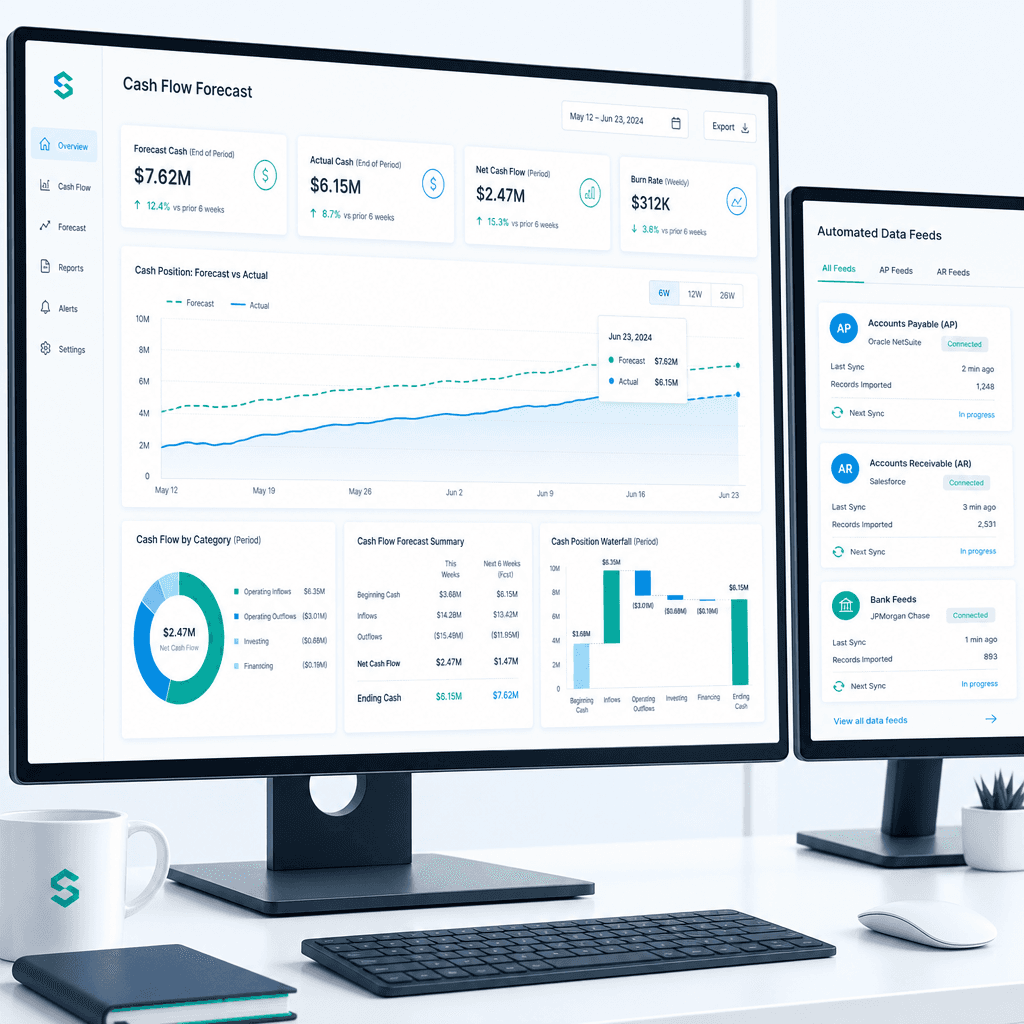
Cash Flow Forecasting Automation: A Practical Guide for Australian Finance Teams (2026)
If your finance team rebuilds the cash flow forecast from scratch every week or every month, you already know where the time goes. Someone pulls an AR ageing…
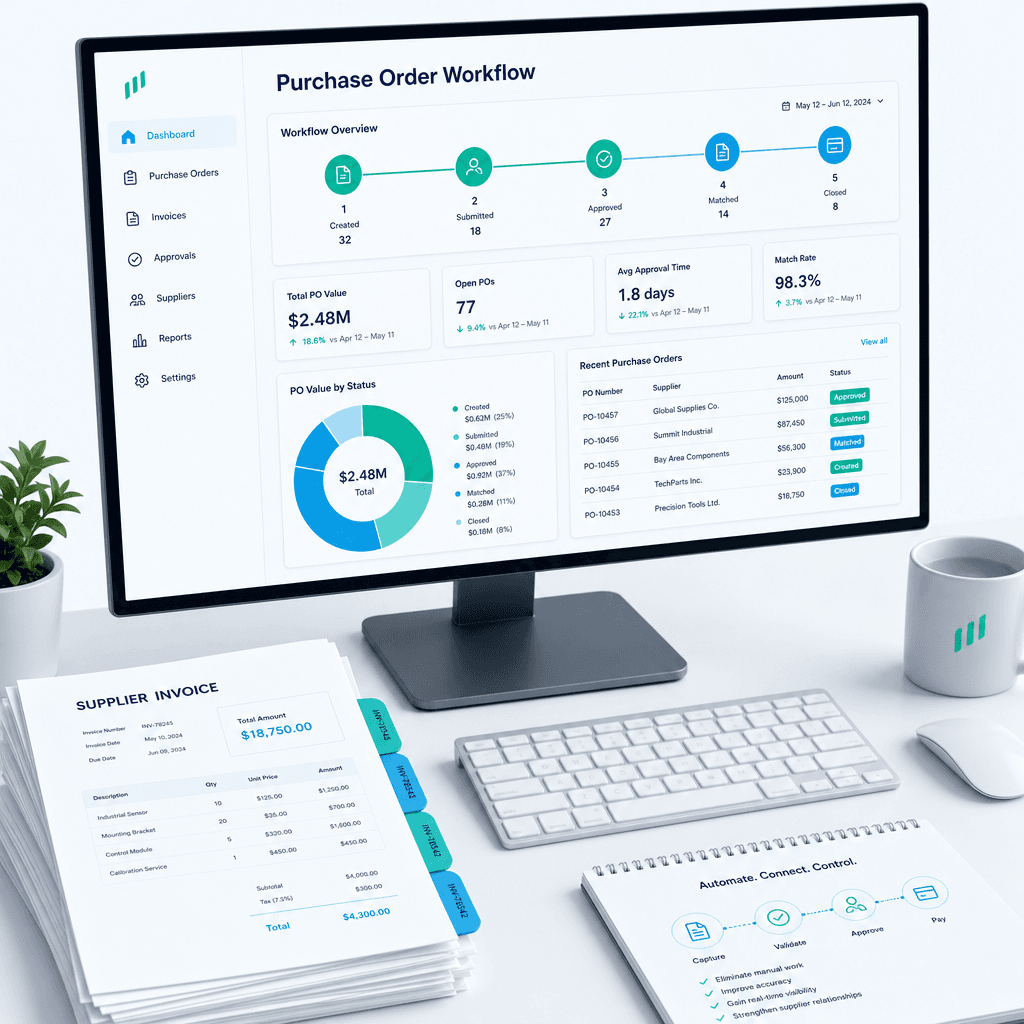
Purchase Order Automation: A Practical Guide for Australian Finance Teams (2026)
If your finance team is still raising purchase orders in a shared inbox, chasing approvals over email, and manually matching invoices line by line before month…