
Invoice Processing Automation Guide: Outcomes and Benchmarks for Australian Teams
Ordron15 min read
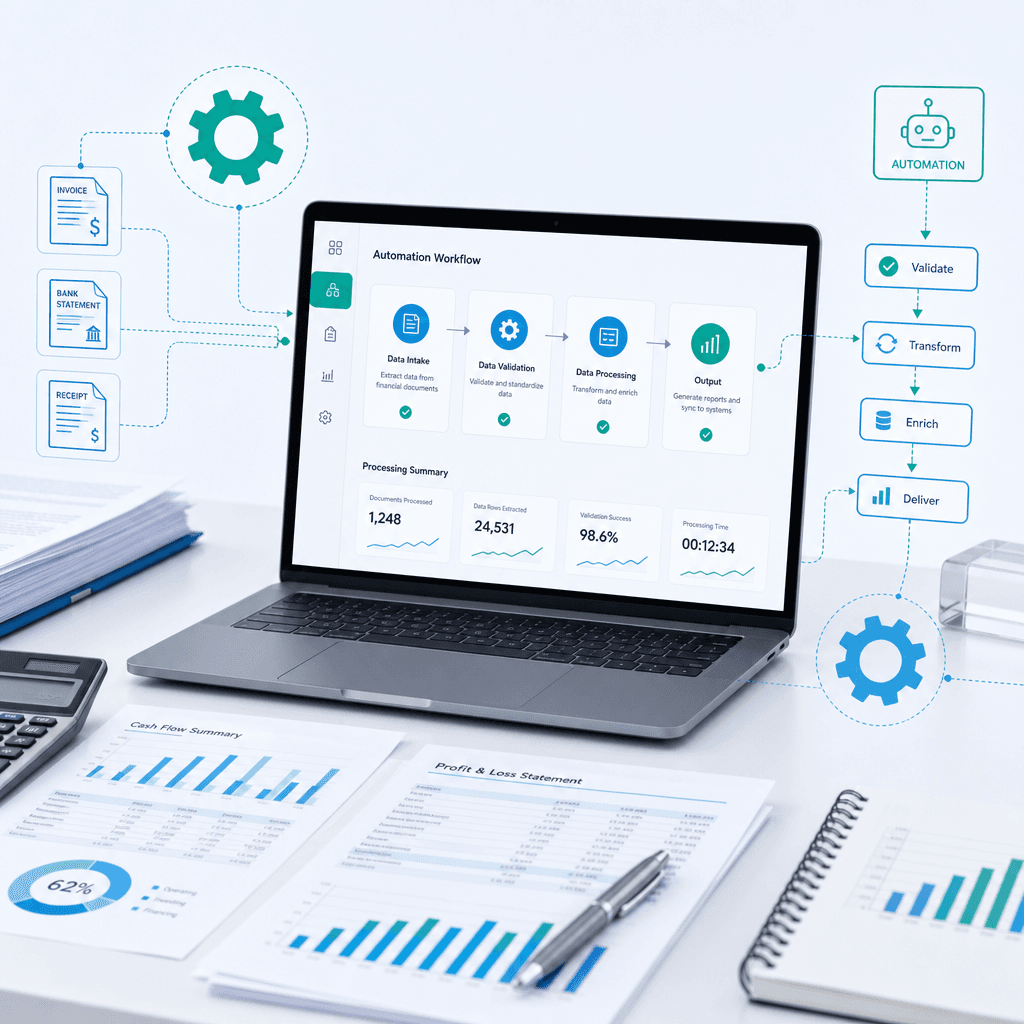
Most finance teams do not need another software vendor promising the world. They need someone to fix the operational bottleneck of manual invoice processing. You already know the problem. Your accounts payable staff are spending hours keying data into systems, chasing approvals across the organisation and manually matching purchase orders. This is not a technology problem. It is an efficiency problem.
At 3P Digital, we do not sell aspirational projections. We ship finance automation outcomes with the numbers attached. The difference between good and bad automation work comes down to measurable results after go-live, not the initial software implementation. We focus on returning hours to your team and cutting manual work.
This invoice processing automation guide is designed for Australian finance leaders, CFOs and accounts payable managers who are drowning in manual data entry. We will break down the practical mechanics of accounts payable automation, explain how to extract invoice data accurately and detail a step-by-step roadmap for implementation. More importantly, we will show you how to achieve these efficiency gains without replacing your core systems.
Key Takeaways
- Manual invoice processing is a massive operational bottleneck that costs Australian businesses significant labour hours every month.
- Legacy systems are not a roadblock. You can keep your existing infrastructure and still achieve massive efficiency gains through targeted automation.
- Effective invoice data extraction and routing workflows rely on optical character recognition, rule-based logic and robotic process automation.
- Realistic benchmarks for successful automation include an 85 percent reduction in manual data entry and over 160 hours saved per month.
- You must measure automation success after go-live by tracking specific metrics like coding accuracy and cycle times.
- Finding your automation quick wins does not require a rip-and-replace software project.
Summary Table: Manual Processing vs Targeted Automation
| Feature | Manual Invoice Processing | Targeted Invoice Automation |
|---|---|---|
| Data Entry | Keystrokes typed manually into the ERP or finance system | Automated extraction and push via RPA or API integrations |
| Processing Time | Up to 4 hours per batch | 15 minutes per batch |
| Error Rate | Prone to human error and typos | Coding accuracy exceeding 95 percent |
| Infrastructure | Requires new software migrations | Layers over existing legacy systems |
| Monthly Hours | High labour cost | Returns 160+ hours per month to the business |
The True Cost of Manual Invoice Processing
Manual accounts payable is a drain on resources. When your finance team is stuck in the weeds of data entry, they are not analysing cash flow or negotiating better terms with suppliers. They are acting as human data entry machines. This is a solvable operational bottleneck.
Consider the actual labour hours lost. A medium-sized Australian business processing a thousand invoices a month might spend fifteen minutes on each invoice. That includes opening the email, downloading the PDF, keying the header details, checking the purchase order and routing it for approval. That equates to 250 hours of manual labour every month. At a typical Australian finance salary, you are pouring tens of thousands of dollars down the drain purely on manual data entry.
The Australian Taxation Office requires strict GST compliance and record keeping. The Australian Competition and Consumer Commission also enforces strict payment times for small businesses. When your manual process slows down the AP cycle, you risk late payment penalties, damaged supplier relationships and missed early payment discounts.
When I look at a finance department, I look at where the hours go. We recently worked with a family-owned logistics operator running a twenty-year-old ERP with no APIs, alongside Xero. Their staff were manually keying data across both systems. It was slow, prone to errors and incredibly frustrating for the team. This is the reality for many Australian businesses. The solution is not to work faster. The solution is to change how the work gets done.
Why Legacy Systems Are Not a Roadblock
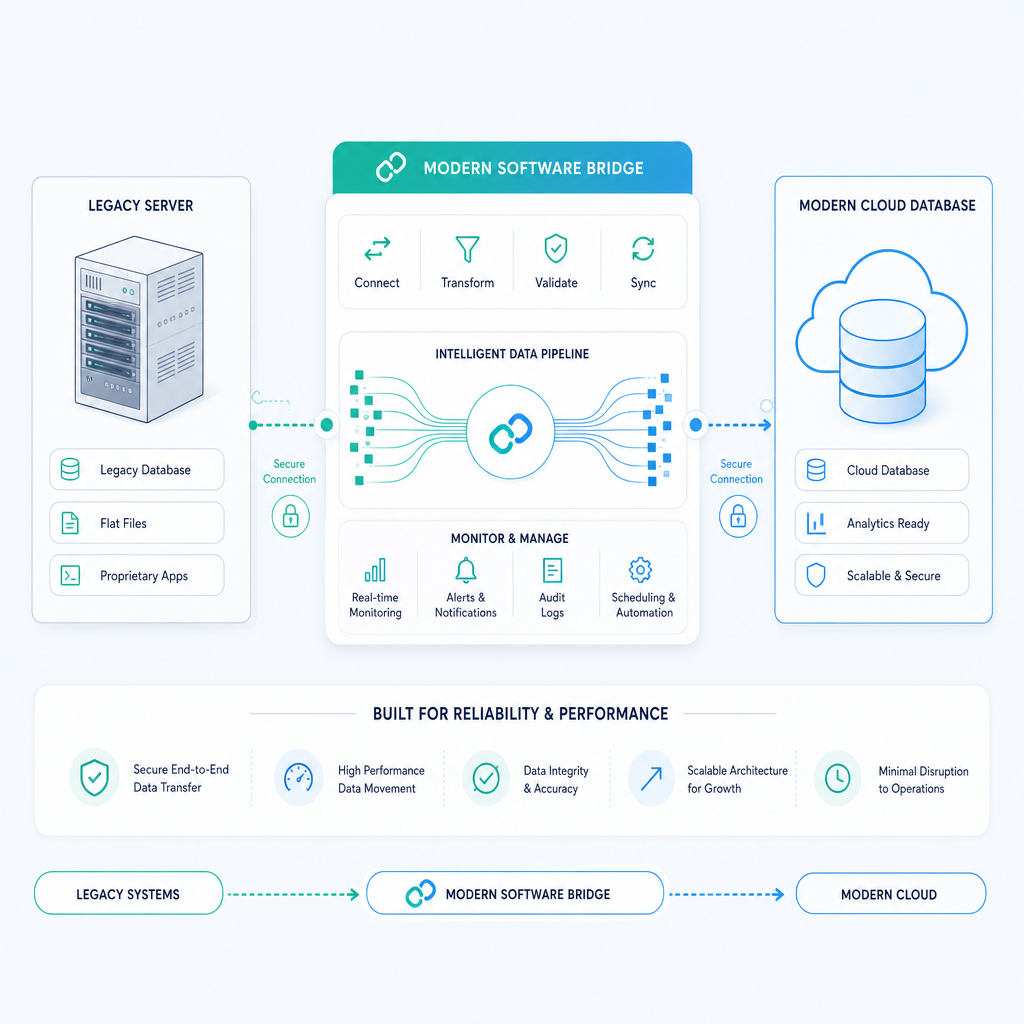
The biggest myth in finance automation is that you must replace your legacy systems to achieve modern reporting and efficiency. Consultants and software vendors will tell you that a twenty-year-old ERP is holding you back. They will prescribe a massive, risky software replacement programme.
I completely disagree with this approach. You can keep your legacy systems and still achieve massive efficiency gains through targeted automation. We have driven 160+ hours per month in savings by building RPA bots for legacy ERPs with no APIs. If a system works but the manual process is slow, we automate it without forcing a software replacement.
In the logistics operator example I mentioned earlier, we did not touch their core ERP. We built an RPA bot that drives the legacy ERP interface, validates data with SQL, and syncs clean data into Xero and reporting dashboards. The outcome was an 85 percent reduction in manual data entry. We delivered over 160 hours saved per month. The ERP stayed exactly where it was.
This technology-agnostic approach means no new software migrations. You avoid the change management nightmares that come with forcing staff onto new platforms. You simply layer an automation bot over the top of your existing interface. The bot does the clicking and typing. Your staff focus on exceptions and analysis. This is how you find your automation quick wins without spending millions on new infrastructure.
Core Components of Automated Invoice Processing
To automate invoice processing effectively, you need to understand the mechanics. Accounts payable automation is not a magic box. It is a sequence of logical steps that move data from an unstructured format into your structured database.
Invoice Data Extraction
The first hurdle is getting data out of a PDF or an email. This is where invoice data extraction comes in. Optical character recognition scans the document and pulls out the text. From there, automation logic identifies the key fields. This includes the supplier name, ABN, invoice number, dates, line items, GST and total amount.
We have cut accounts payable cycles from 4 hours to 15 minutes using existing SharePoint setups. A national logistics provider was operating across multiple depots with a SharePoint-centric process. We plugged OCR and workflow logic directly into their existing SharePoint setup. The system learned to recognise supplier formats and accurately extract the required data. There was no new software required.
Routing and Approval Workflows
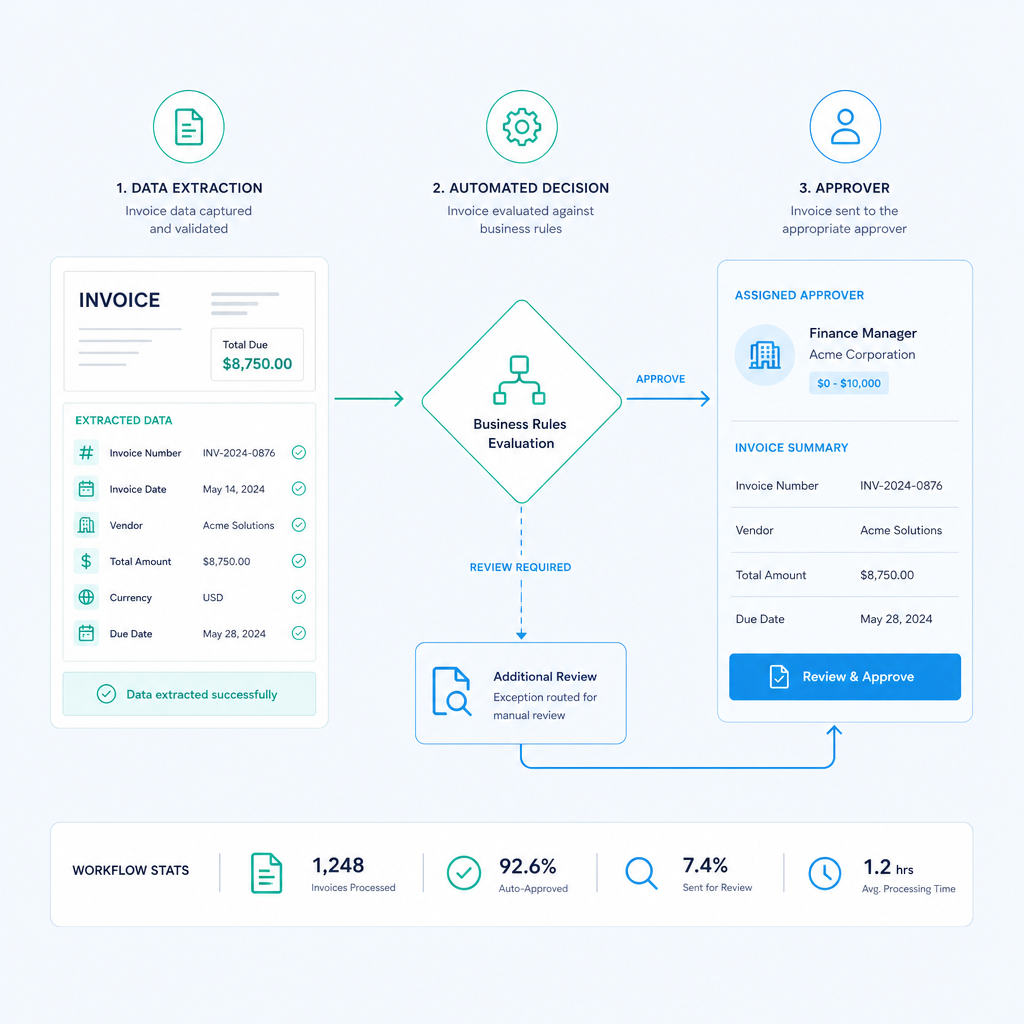
Once the data is extracted, the invoice needs to go to the right person for approval. Manual routing involves printing the invoice or emailing it around the organisation. This is where invoices get lost or sit in an inbox for weeks.
Automated routing uses your business rules. If the invoice is under $500, it routes straight to the AP manager. If it is for a specific cost centre, it routes to that department head. The system sends the approver a clean digital version of the invoice with the extracted data. They click approve, and the system moves it to the next stage.
General Ledger Coding and Integration
The final piece is getting the approved data into your finance system. A system like idu-Concept allows users to capture GL coding. We have seen coding accuracy with IDU on enterprise AP exceed 95 percent. The automation pushes the invoice data, the approval chain and the GL codes directly into your ERP.
For a mid-sized manufacturer running finance in Xero, a custom inventory tracker and Excel forecasting models, we deployed hybrid RPA and rule-based transforms. We consolidated all systems into a single SQL-backed reporting layer. This cut their monthly close cycle by 80 percent. The integration is where the actual value is realised.
Real Outcomes and Benchmarks
I do not care about theoretical benefits. I care about actual results. The difference between good and bad automation work comes down to measurable results after go-live. Here are the real benchmarks we have achieved for Australian businesses.
Benchmark 1: 85 Percent Reduction in Manual Entry
In our logistics legacy ERP bridge case study, we eliminated the need for staff to manually type supplier invoices into the system. The RPA bot handles the keystrokes. This resulted in an 85 percent reduction in monthly manual entry.
Benchmark 2: 160+ Hours Saved Per Month
Time is the most valuable resource in your finance team. By automating the data flows between the legacy ERP and Xero, we returned 160+ hours per month to the business. Those hours are now spent on actual financial analysis rather than data administration.
Benchmark 3: Over 95 Percent Coding Accuracy
Accuracy is critical. A mistyped invoice number or wrong GL code causes massive reconciliation headaches. In our distribution case study, we achieved coding accuracy with IDU on enterprise AP exceeding 95 percent. This level of accuracy means your month-end close is faster and cleaner.
Benchmark 4: 80 Percent Reduction in Monthly Close Cycle
Our manufacturing case study proved that integration is the key to speed. By consolidating Xero, a custom inventory tracker and Excel models into one SQL reporting layer, we cut the monthly close cycle by 80 percent.
These outcomes are not aspirational projections. They are exact figures measured after go-live. When you plan your automation project, these are the types of numbers you should target.
Implementation Roadmap
Implementing automation requires a structured approach. Here is the exact process we use to scope, build and deploy finance automation.
Step 1: Process Discovery and Scoping
You cannot automate a process you do not understand. The first step is mapping every single step of your current accounts payable process. We sit down with your AP team and map how an invoice enters the business, where it goes and how it gets into the general ledger.
During this phase, we identify the bottlenecks. We look for manual touchpoints. We calculate the exact potential hours saved. This scoping phase ensures we target the most painful processes first.
Step 2: Feasibility and System Audit
Next, we audit your existing technology stack. We look at your ERP, your document storage and your approval workflows. As I have said, legacy systems are not a roadblock. We are completely technology agnostic.
We determine the best way to connect your systems. If APIs exist, we use them. If they do not, we use RPA. The goal is to build a bridge between your systems without forcing a software replacement.
Step 3: Designing the Automation Logic
Once we know the process and the systems, we design the logic. We map out the OCR requirements for invoice data extraction. We build the decision trees for routing and approvals. We define the tolerance rules for matching purchase orders.
For example, if an invoice total matches the purchase order within a $5 variance, it passes automatically. If it exceeds the variance, it routes to a human for review. We design the system to handle 90 percent of the volume automatically.
Step 4: Building and Testing
We build the automation in a controlled environment. This involves programming the RPA bots, configuring the OCR engines and setting up the database connections.
Testing is critical. We run a pilot batch of historical invoices through the system. We compare the bot's output against the human output. We refine the logic until we hit our accuracy targets. We do not go live until the coding accuracy is rock solid.
Step 5: Deployment and Optimisation
Once tested, we deploy the automation into production. We monitor the live environment closely. We track the exact number of hours saved and the error rates.
The work does not stop at deployment. Business rules change. Supplier invoice formats change. We continually optimise the logic to handle new scenarios. This ensures the automation continues to deliver value long after the initial project is complete.
How to Calculate Your Automation ROI
Return on investment is the only metric that matters. When calculating ROI, you need to look at both direct savings and indirect savings.
Direct savings are easy to calculate. Take the average hourly rate of your AP staff and multiply it by the hours saved. In our logistics case study, saving 160 hours per month at an average rate of $50 per hour equals $8,000 saved every month. That is $96,000 per year returned directly to the business.
Indirect savings are harder to quantify but equally important. This includes:
- Eliminating late payment penalties by processing invoices on time.
- Capturing early payment discounts from suppliers.
- Reducing the risk of fraud and duplicate payments.
- Reallocating staff to higher-value financial analysis.
When you present an automation business case, focus on these numbers. Do not let a vendor sell you a software licence based on vague promises. Demand specific outcomes.
Overcoming Common Implementation Challenges
Automation is not without its challenges. However, every challenge has a logical solution.
Poor Quality Source Data
Suppliers send invoices in all shapes and sizes. Some are crystal clear PDFs. Others are low-quality scans. If the source data is bad, the OCR will struggle.
The solution is to enforce supplier portals or standardised email templates. You train your suppliers to send documents in a specific format. For the edge cases, you implement a manual exception queue. The automation handles the 90 percent of standard invoices, freeing your team to manually fix the 10 percent of bad files.
Exception Handling
Exceptions will happen. A price changes, a purchase order is missing or a quantity is wrong. Your automation must have a clear exception handling path.
We design the system to flag exceptions immediately. It alerts the specific person who needs to fix the issue. It does not let the invoice sit in a general inbox. Fast exception handling is the key to a fast AP cycle.
Change Management
People fear that automation will take their jobs. In reality, automation takes the robotic tasks away and leaves the analytical work.
We address this by involving the AP team from day one. We show them how the bot will eliminate the boring, repetitive data entry. We train them to manage the automation and handle the exceptions. When staff realise they get to do actual accounting work instead of typing, they embrace the change.
Technology Selection: Why Agnostic Wins
The biggest trap Australian businesses fall into is buying an off-the-shelf AP automation platform before understanding their own processes. These platforms often require you to change your workflow to fit their software.
We take the opposite approach. We fit the technology to your process.
If you are a small business running Xero, we might use a combination of Microsoft Power Automate and native Xero integrations. If you are an enterprise running a legacy ERP, we will deploy RPA to drive the existing interface. The technology is just a tool. The outcome is what matters.
This is why our clients see such dramatic results. We do not force a square peg into a round hole. We build custom solutions that address the exact bottlenecks in your specific technology stack.
The Future of Accounts Payable
Looking at the Australian market in 2026, the pressure on finance teams is only increasing. The Australian Securities and Investments Commission continues to focus on corporate governance and accurate financial reporting. Inflation and wage growth mean labour costs are higher than ever.
Businesses can no longer afford to have qualified accountants acting as data entry clerks. Automation is no longer a nice-to-have. It is a commercial necessity.
The most successful Australian businesses are those that run lean, efficient finance operations. They use targeted automation to process high-volume transactions. They keep their human staff focused on strategy, forecasting and cash flow management.
This invoice processing automation guide is your blueprint. Stop accepting manual processing as a fact of life. Start demanding measurable results from your technology investments.
If you want to know exactly how many hours you can save, contact Ordron for an automation scoping session. We will analyse your specific accounts payable process and calculate your exact potential hours saved.
References
- Australian Taxation Office. Record keeping for business.
- Australian Competition and Consumer Commission. Payment times reporting.
- Australian Securities and Investments Commission. Financial reporting and auditing.
Frequently asked questions
- What is invoice processing automation?
- Invoice processing automation is the use of technology to handle the entire accounts payable lifecycle. This includes extracting data from supplier invoices, routing them for approval and coding them into your general ledger without manual data entry.
- Do I need to replace my legacy ERP to automate invoices?
- No. Legacy systems are not a roadblock. We frequently build robotic process automation bots that drive the interface of twenty-year-old ERPs. You can achieve massive efficiency gains without the risk and cost of a software migration.
- How accurate is automated invoice data extraction?
- With the right setup, invoice data extraction is highly accurate. We consistently achieve coding accuracy exceeding 95 percent. The system reads the data directly from the invoice and validates it against your existing records.
- How long does it take to implement an automation project?
- This depends on the complexity of your process. However, because we use a technology-agnostic approach and layer automation over existing systems, we typically find your automation quick wins much faster than a traditional software rollout.
- What does an RPA bot actually do in accounts payable?
- An RPA bot logs into your systems just like a human does. It opens the invoice, reads the data, types it into the correct fields in your ERP, clicks save and logs out. It works around the clock without making typing errors.
- How do I measure the success of my automation project?
- The success of automation must be measured after go-live. You should track metrics like the percentage reduction in manual data entry, the exact hours saved per month and the improvement in your monthly close cycle.
Ordron
Finance automation team, Sydney
Ordron builds the finance automation infrastructure that runs AP, AR, reconciliations and reporting on autopilot for Australian mid-market businesses.
More from the Ordron Insights catalogue
Selected by topic. Updated as the agent publishes.
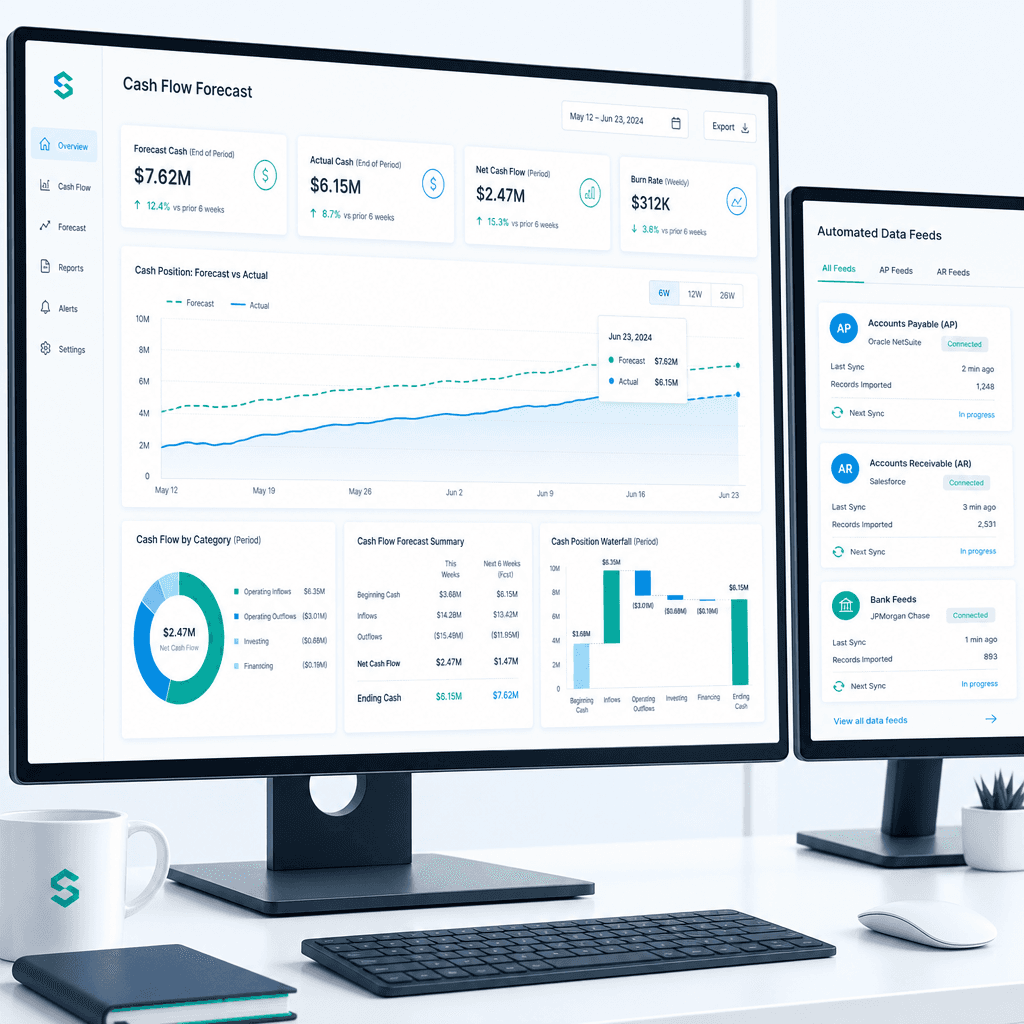
Cash Flow Forecasting Automation: A Practical Guide for Australian Finance Teams (2026)
If your finance team rebuilds the cash flow forecast from scratch every week or every month, you already know where the time goes. Someone pulls an AR ageing…
Purchase Order Automation: A Practical Guide for Australian Finance Teams (2026)
If your finance team is still raising purchase orders in a shared inbox, chasing approvals over email, and manually matching invoices line by line before month…
Financial Reporting Automation: A Step-by-Step Guide for Australian Finance Teams (2026)
If your finance team is still spending the first two weeks of every month pulling data from spreadsheets, chasing department heads for figures, and manually…